| Server IP : 68.183.124.220 / Your IP : 216.73.217.137 Web Server : Apache/2.4.18 (Ubuntu) System : Linux Sandbox-A 4.4.0-210-generic #242-Ubuntu SMP Fri Apr 16 09:57:56 UTC 2021 x86_64 User : gavin ( 1000) PHP Version : 7.0.33-0ubuntu0.16.04.16 Disable Function : pcntl_alarm,pcntl_fork,pcntl_waitpid,pcntl_wait,pcntl_wifexited,pcntl_wifstopped,pcntl_wifsignaled,pcntl_wifcontinued,pcntl_wexitstatus,pcntl_wtermsig,pcntl_wstopsig,pcntl_signal,pcntl_signal_dispatch,pcntl_get_last_error,pcntl_strerror,pcntl_sigprocmask,pcntl_sigwaitinfo,pcntl_sigtimedwait,pcntl_exec,pcntl_getpriority,pcntl_setpriority, MySQL : OFF | cURL : ON | WGET : ON | Perl : ON | Python : ON | Sudo : ON | Pkexec : ON Directory : /home/gavin/workspace/happymandarin/node_modules/json-stable-stringify/ |
Upload File : |
# json-stable-stringify
deterministic version of `JSON.stringify()` so you can get a consistent hash
from stringified results
You can also pass in a custom comparison function.
[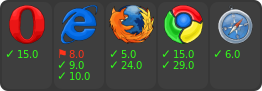](https://ci.testling.com/substack/json-stable-stringify)
[](http://travis-ci.org/substack/json-stable-stringify)
# example
``` js
var stringify = require('json-stable-stringify');
var obj = { c: 8, b: [{z:6,y:5,x:4},7], a: 3 };
console.log(stringify(obj));
```
output:
```
{"a":3,"b":[{"x":4,"y":5,"z":6},7],"c":8}
```
# methods
``` js
var stringify = require('json-stable-stringify')
```
## var str = stringify(obj, opts)
Return a deterministic stringified string `str` from the object `obj`.
## options
### cmp
If `opts` is given, you can supply an `opts.cmp` to have a custom comparison
function for object keys. Your function `opts.cmp` is called with these
parameters:
``` js
opts.cmp({ key: akey, value: avalue }, { key: bkey, value: bvalue })
```
For example, to sort on the object key names in reverse order you could write:
``` js
var stringify = require('json-stable-stringify');
var obj = { c: 8, b: [{z:6,y:5,x:4},7], a: 3 };
var s = stringify(obj, function (a, b) {
return a.key < b.key ? 1 : -1;
});
console.log(s);
```
which results in the output string:
```
{"c":8,"b":[{"z":6,"y":5,"x":4},7],"a":3}
```
Or if you wanted to sort on the object values in reverse order, you could write:
```
var stringify = require('json-stable-stringify');
var obj = { d: 6, c: 5, b: [{z:3,y:2,x:1},9], a: 10 };
var s = stringify(obj, function (a, b) {
return a.value < b.value ? 1 : -1;
});
console.log(s);
```
which outputs:
```
{"d":6,"c":5,"b":[{"z":3,"y":2,"x":1},9],"a":10}
```
### space
If you specify `opts.space`, it will indent the output for pretty-printing.
Valid values are strings (e.g. `{space: \t}`) or a number of spaces
(`{space: 3}`).
For example:
```js
var obj = { b: 1, a: { foo: 'bar', and: [1, 2, 3] } };
var s = stringify(obj, { space: ' ' });
console.log(s);
```
which outputs:
```
{
"a": {
"and": [
1,
2,
3
],
"foo": "bar"
},
"b": 1
}
```
### replacer
The replacer parameter is a function `opts.replacer(key, value)` that behaves
the same as the replacer
[from the core JSON object](https://developer.mozilla.org/en-US/docs/Web/JavaScript/Guide/Using_native_JSON#The_replacer_parameter).
# install
With [npm](https://npmjs.org) do:
```
npm install json-stable-stringify
```
# license
MIT